
In an increasingly data-rich world, the ability to retain, recall, and process information efficiently is more valuable than ever. From students striving for academic excellence to professionals aiming for peak productivity, a robust memory and sharp cognitive faculties are significant assets. While our brains are incredibly powerful, they, like any muscle, benefit from targeted training. This is where memory apps come into play. These digital tools offer a personalized and engaging way to enhance your recall, improve focus, and generally supercharge your cognitive performance. But with a vast ocean of options available, how do you navigate the choices and pick the right memory app for your unique needs?
Before you even start browsing app stores, take a moment to reflect on what you want to achieve. Not all memory apps are created equal, and their effectiveness largely depends on how well they align with your specific objectives and preferred learning methods.
Identifying Your Primary Memory Improvement Areas
Are you struggling to remember names, or is it historical dates that trip you up? Perhaps you’re an entrepreneur who needs to recall business pitches or a student grappling with complex scientific formulas. Pinpointing your weaknesses will help you narrow down the field.
- Fact Recall: If you primarily need to remember discrete pieces of information like vocabulary words, historical facts, or scientific definitions, look for apps that utilize flashcards, spaced repetition systems (SRS), and quizzes. These methods are highly effective for rote memorization.
- Sequential Recall: For remembering lists, procedures, or chronological events, apps that incorporate storytelling techniques, journey methods, or digital mind palaces can be incredibly powerful. They help you build associations and vivid mental imagery.
- Spatial Memory: If you frequently get lost or struggle to remember where you put things, apps that challenge your spatial reasoning and visual memory can be beneficial. These might involve puzzles, map-based games, or object-location exercises.
- Working Memory: This is your brain’s temporary workspace, crucial for concentration and problem-solving. Apps with brain training games that involve sequences, pattern recognition, and multi-tasking can help improve your working memory capacity.
- Name & Face Recall: For social and professional settings, apps that utilize image association, mnemonic techniques, and repeated exposure to faces and names are invaluable.
Assessing Your Preferred Learning Modalities
Everyone learns differently. Some people are visual learners, absorbing information best through images, diagrams, and videos. Others are auditory learners, benefiting from spoken instructions and sounds. Kinesthetic learners thrive on hands-on activities and physical engagement.
- Visual Learners: Look for apps that are graphically rich, use vibrant colors, incorporate images and videos, and allow for visual note-taking or mind-mapping. Doodling and association with images can be highly effective.
- Auditory Learners: Apps that offer audio cues, voice narration, or allow you to record your own voice for flashcards can be very helpful. Some apps even incorporate music or sounds to aid memory.
- Kinesthetic Learners: While memory apps are inherently screen-based, some try to incorporate interactive elements, drag-and-drop features, or game-like mechanics that simulate a more “hands-on” experience. Apps that encourage active recall through typing answers or drawing can also engage kinesthetic learners.
- Reading/Writing Learners: If you learn best by reading and writing, apps that provide detailed explanations, offer journaling features, or allow you to create extensive notes and summaries will be a good fit.
When selecting the ideal memory app, it’s also beneficial to explore various techniques for enhancing your cognitive abilities. A related article that delves into this topic is “How to Train Your Brain with Memory Games,” which offers insights into effective strategies and exercises that can complement your use of memory apps. You can read more about it here: How to Train Your Brain with Memory Games.
Exploring Different Types of Memory Apps
Once you have a clear idea of your goals and learning style, you can start exploring the diverse landscape of memory apps. They generally fall into a few broad categories, each with its own strengths and weaknesses.
Spaced Repetition System (SRS) Apps
These apps are the gold standard for learning factual information. They leverage an algorithm that schedules reviews of learned material at progressively longer intervals. This timing is crucial – you review information just as you’re about to forget it, solidifying it in your long-term memory.
- How They Work: When you first encounter a piece of information, the app will show it to you frequently. As you successfully recall it, the review interval lengthens. If you forget it, the interval shortens, bringing it back for more frequent practice.
- Best For: Vocabulary acquisition, learning new languages, scientific terms, historical dates, medical facts, and any large body of information that requires accurate recall.
- Popular Examples: Anki, SuperMemo, Memrise (though Memrise has broader features).
- Considerations: These apps require consistent use and a commitment to reviewing. Creating your own flashcards can be time-consuming but incredibly effective. Some apps have pre-made decks, but their quality can vary.
Brain Training Games
These apps offer a collection of mini-games and puzzles designed to target various cognitive functions beyond just memory, such as attention, problem-solving, and processing speed. They often come with a playful interface and gamified progression.
- How They Work: They present a variety of challenges that require you to react quickly, remember sequences, solve spatial puzzles, or identify patterns. The difficulty typically adapts to your performance.
- Best For: Improving working memory, executive functions, focus, and overall cognitive agility. They can also be a fun way to keep your brain active.
- Popular Examples: Lumosity, Peak, Elevate, CogniFit.
- Considerations: While engaging, the scientific evidence on the long-term, transferable benefits of these apps (beyond improving performance on the games themselves) is still debated. They are a great complement to SRS apps rather than a replacement for specific knowledge acquisition.
Mnemonic and Visualization Apps
These apps focus on teaching you various memory techniques, such as the Method of Loci (Memory Palace), Peg System, or creating vivid mental associations. They guide you through the process of encoding information in a more memorable way.
- How They Work: They often provide tutorials, interactive exercises, and guided practice to help you build your own mnemonic systems or mental landscapes. Some allow you to create and save your memory palaces.
- Best For: Remembering lists, speeches, names and faces, complex sequences, or anything that benefits from strong, vivid associations. Highly effective for those who are visual or creative learners.
- Popular Examples: Memory League (competitive, but focuses on mnemonic skills), specific apps or courses focusing on the Memory Palace technique.
- Considerations: These techniques require practice and creativity. They can be incredibly powerful but might have a steeper learning curve than simple flashcards.
Note-Taking and Organization Apps with Memory Features
While not strictly “memory apps,” some advanced note-taking and knowledge management tools integrate features that actively aid recall, often similar to SRS.
- How They Work: These apps allow you to create highly structured notes, link ideas, and sometimes offer a “review” or “flashcard” mode for specific sections of your notes. They help you organize information in a way that makes it easier to retrieve.
- Best For: Students, researchers, and professionals who need to manage large bodies of complex information, synthesize ideas, and regularly review what they’ve learned.
- Popular Examples: Obsidian (with Anki integration), Notion (for structured knowledge management), Readwise (for active recall from highlights).
- Considerations: These are more comprehensive systems and require a commitment to setting up and maintaining your knowledge base.
Key Features to Look for in a Memory App
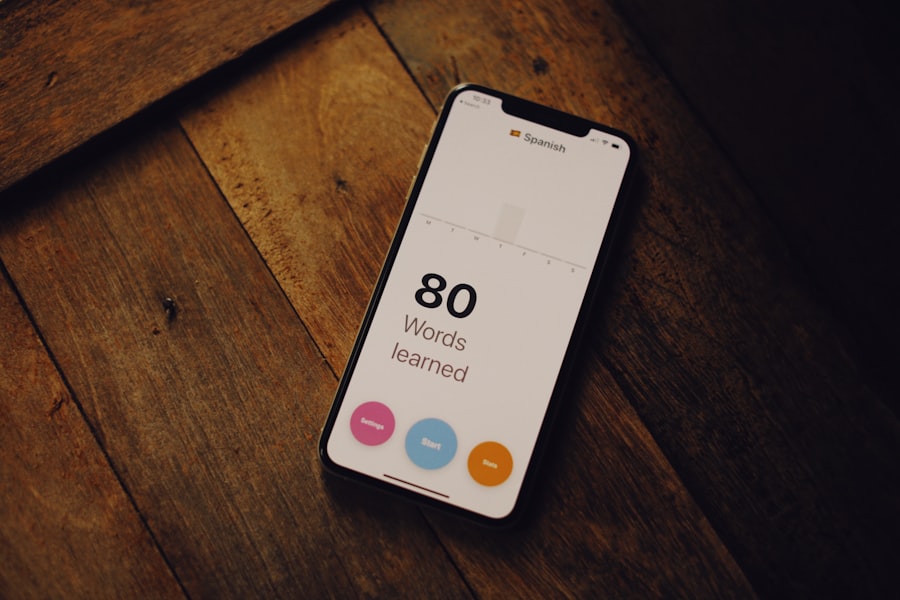
Beyond the general category, specific features can significantly impact an app’s usability, effectiveness, and your long-term engagement.
User Interface and User Experience (UI/UX)
A well-designed app is a pleasure to use, making it more likely that you’ll stick with it.
- Intuitive Navigation: Can you easily find what you need and perform core functions without a steep learning curve?
- Clean Design: Is the interface uncluttered and aesthetically pleasing? Distracting visuals can hinder focus.
- Customization Options: Can you adjust font sizes, themes, or notification settings to suit your preferences?
- Accessibility: Does the app offer features for users with visual impairments or other accessibility needs?
Repetition and Review Mechanisms
This is arguably the most critical aspect of any memory app aimed at long-term retention.
- Spaced Repetition Algorithm (SRS): For fact-based learning, this is non-negotiable. Check the sophistication of the algorithm.
- Active Recall: Does the app encourage you to retrieve information from memory rather than just passively re-reading it? Examples include fill-in-the-blank, typing answers, or self-quizzing.
- Review Reminders: Can the app send you push notifications or emails to remind you when it’s time to review?
- Progress Tracking: Does it show you how many items you’ve reviewed, your accuracy rate, and how much knowledge you’ve “mastered”?
Content and Customization
The quality and relevance of the content, along with your ability to personalize it, are crucial.
- Pre-made Decks/Courses: If the app offers these, are they high-quality, accurate, and relevant to your needs? Read reviews.
- Content Creation: Can you easily create your own flashcards, quizzes, or mnemonic devices? This is often the most effective way to learn.
- Multimedia Support: Can you add images, audio, or even videos to your learning materials? This is especially useful for visual and auditory learners.
- Import/Export Capabilities: Can you import flashcards or data from other sources (e.g., CSV files) or export your own content?
Gamification and Motivation
Staying motivated is key to sustained memory improvement. Gamified elements can make the process more enjoyable.
- Points, Badges, Leaderboards: Do these motivate you, or do you find them distracting?
- Progress Visualizations: Seeing your progress through graphs or visual representations can be a powerful motivator.
- Streaks and Challenges: Daily streaks or specific challenges can encourage consistent engagement.
- Personalized Feedback: Does the app provide insights into your strengths and weaknesses?
Platform Compatibility and Offline Access
Consider where and when you plan to use the app.
- Cross-Platform Sync: Will your progress sync seamlessly across your smartphone, tablet, and computer?
- Offline Access: Can you access and use the app even when you don’t have an internet connection? This is invaluable for commuting or travel.
- Device Performance: Does the app run smoothly on your device, or is it laggy or prone to crashes?
Sure, here is the sentence with the clickable link:
I am amazed by the incredible feats of the Memory Athlete.
Considering Pricing Models and Subscriptions

Memory apps come with various pricing structures, and understanding them is essential before committing.
Free vs. Freemium vs. Premium
Decide what you’re willing to pay and what value you expect in return.
- Completely Free Apps: These can be great starting points, but often have limitations in features, support, or contain ads. Anki, for example, is open-source and free on desktop and Android (iOS is paid).
- Freemium Models: Offer a basic set of features for free, with an option to unlock premium features through a subscription or one-time purchase. This allows you to try before you buy.
- Premium (Paid) Apps: Require an upfront purchase or a subscription to access all features. They typically offer a more polished experience, no ads, and dedicated customer support.
One-Time Purchase vs. Subscription
Each has its pros and cons, depending on your commitment and budget.
- One-Time Purchase: You pay once and own the app forever. This can be more cost-effective in the long run if you plan to use the app for many years.
- Subscription Model: You pay monthly or annually. This provides ongoing access to updates, new features, and cloud services (like cross-device sync). It offers flexibility if you only need the app for a specific period (e.g., exam preparation) but can become more expensive over time.
Hidden Costs and In-App Purchases
Always read the fine print.
- “Energy” or “Lives” Systems: Some brain training games limit your daily play unless you pay for more “energy.”
- Premium Content: Even with a paid app, some premium or specialized content (e.g., advanced language courses) might require an additional purchase.
- Cloud Storage Fees: Ensure that cross-device syncing and cloud backup are included in the price you pay.
When selecting the ideal memory app, it’s beneficial to consider various factors such as your learning style and specific memory challenges. For instance, if you find yourself frequently experiencing memory blanks, you might want to explore strategies to overcome this issue. A related article that offers valuable insights on this topic can be found here: what to do when you have a memory blank. This resource can help you better understand the nuances of memory retention and provide additional tips to enhance your overall memory skills.
Testing and Trialling Your Choices
| Memory App | Features | Price | Compatibility | Reviews |
|---|---|---|---|---|
| App A | Flashcards, Spaced repetition, Progress tracking | Free with ads, Premium subscription | iOS, Android, Web | 4.5/5 stars |
| App B | Memory games, Study reminders, Community challenges | Free with in-app purchases | iOS, Android | 4/5 stars |
| App C | Note-taking, Audio recordings, Cross-device sync | Free with premium options | iOS, Android, Web | 4.2/5 stars |
A crucial step in selecting the right app is to actually try it out. Reading reviews and feature lists is helpful, but nothing beats hands-on experience.
Utilizing Free Trials and Freemium Versions
Most reputable apps offer a way to test them before making a financial commitment.
- Install the Free Version: Explore its basic functionalities, interface, and ease of use.
- Sign Up for Free Trials: Take advantage of any 7-day or 14-day trials to experience the premium features. Set a reminder to cancel if you don’t find it suitable.
- Compare Side-by-Side: If you’ve narrowed it down to a few options, try using them concurrently for a short period to see which one feels more intuitive and beneficial.
Reading Reviews and User Testimonials
While personal experience is key, the collective wisdom of other users can provide valuable insights.
- App Store Reviews: Pay attention to recent reviews. Do users complain about bugs, poor support, or misleading features?
- Tech Blogs and Forums: Look for independent reviews from memory experts or tech journalists. User communities (like Reddit threads for specific apps) can offer nuanced discussions.
- Look for Your Use Case: Do other users with similar memory goals or learning styles recommend the app?
Considering Long-Term Engagement and Support
You want an app that you can stick with and that will continue to evolve.
- Developer Updates: Check the app’s update history. Is it regularly maintained and improved, or has it been abandoned?
- Customer Support: Is there a responsive support channel if you encounter issues?
- Community Support: Does the app have an active user community where you can ask questions or find tips? This is particularly relevant for highly customizable apps like Anki.
- Data Portability: Can you export your data if you decide to switch apps in the future? This protects your investment of time and effort in creating content.
In conclusion, choosing the right memory app is a personal journey that requires self-reflection, research, and hands-on testing. By understanding your specific memory goals, preferred learning styles, the different types of apps available, and the crucial features to look for, you can make an informed decision that genuinely helps you enhance your cognitive abilities. Don’t be afraid to try a few options before settling on the one that perfectly aligns with your quest for a sharper, more powerful mind.
To wrap up, we invite you to elevate your memory and cognitive performance by downloading Memory Athlete, the ultimate app for mastering recall, sharpening focus, and unlocking your brain’s full potential.
FAQs
What are the different types of memory apps available?
There are various types of memory apps available, including flashcard apps, spaced repetition apps, mnemonic devices apps, and memory game apps.
What features should I look for in a memory app?
When choosing a memory app, consider features such as customizable study decks, progress tracking, interactive learning games, offline access, and compatibility with multiple devices.
How can I determine which memory app is best for me?
To determine the best memory app for you, consider your learning style, the specific type of information you need to memorize, your budget, and any additional features that are important to you.
Are there any free memory apps available?
Yes, there are several free memory apps available, offering basic features and functionality. Some free memory apps also offer premium upgrades for additional features.
What are some popular memory apps to consider?
Some popular memory apps to consider include Anki, Quizlet, Memrise, Lumosity, and Elevate. These apps offer a range of features and study methods to help improve memory and retention.






Leave a Reply